
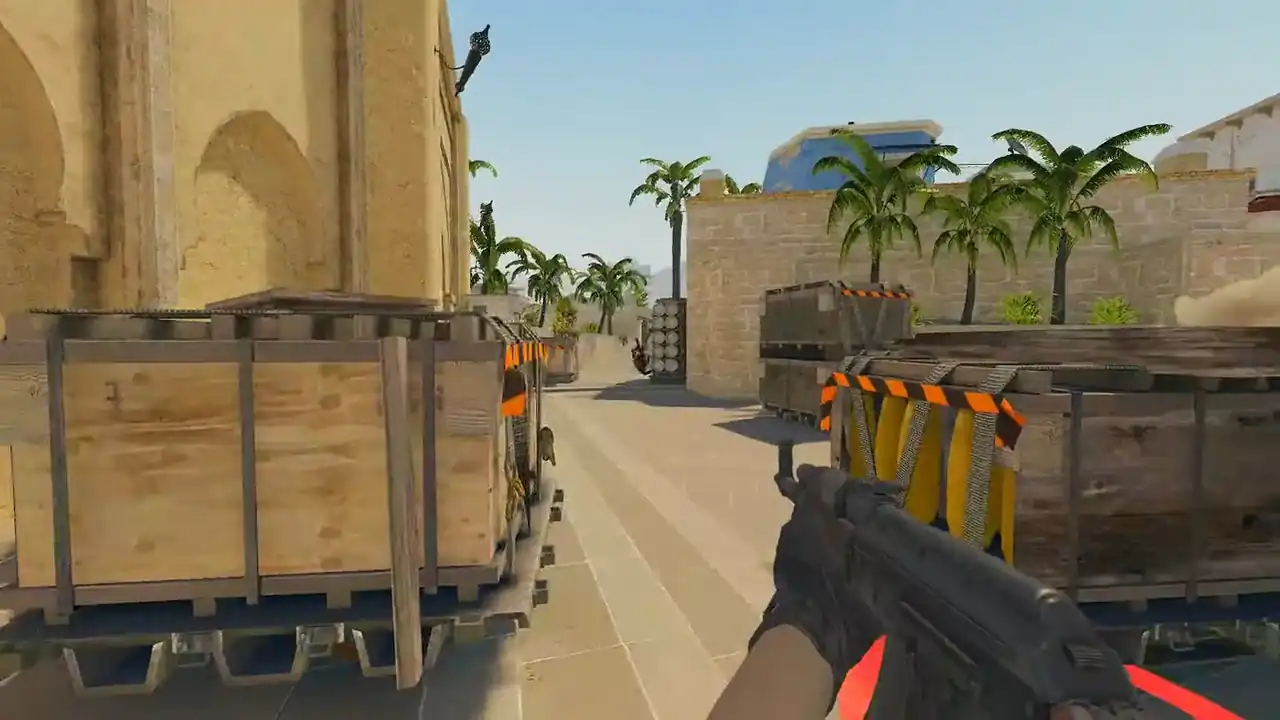
How to watch CS2 demos online in your browser
Open Memorin, sign in with Steam and upload your CS2 .dem file. The server reads the demo once, then your browser rebuilds the match in the real map geometry. The 2D radar is free; full 3D is PRO.
You watch it with a timeline, five camera modes in 3D, a radar, an event feed and a match review panel. No game client and no install. A free account adds 1 demo a day.
.dem on your disk? You can skip the file entirely: watch a CS2 demo without downloading covers pasting a match link. This page is the upload route.What do you need to watch a CS2 demo online?
- The file. A Counter-Strike 2 demo, ending in
.dem. Compressed files go in as they are:.dem.gz,.dem.zstand.dem.bz2. See how to download CS2 demos. - A browser with WebGL. The replay is drawn on your device; the 3D view is PRO. There is nothing to install and nothing to copy into a CS2 folder.
- A Steam sign-in, for your own demos. Uploads and imports belong to an account. Pro matches open in 2D with no account, and the daily moment plays in 3D with no account.
How to watch a CS2 demo in your browser
- Open the demo viewer. Go to memorin.app and sign in with Steam.
- Add the demo. Drop the
.demonto the upload area. Or paste a match sharing code or a Leetify link instead. - Wait for the parse. The server reads the demo once and saves the result. Longer matches take longer. Reopening it later is quick.
- Watch. Use the timeline, the speed selector (0.25× to 8×) and the view selector. Press R for the review panel and Tab for the scoreboard.
A free account reviews demos in 2D, uses match review and adds 1 demo a day, kept 2 days. Your browser also saves its own copy so the match stays watchable. PRO adds unlimited demos with 30-day storage.
Watch a real round, take over and play it. Today's moment is free in 3D, with no account.
Play daily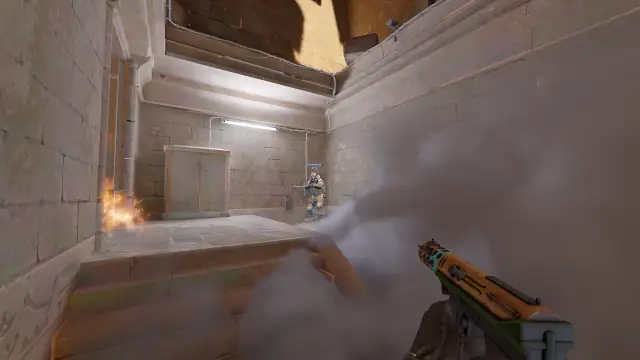
What does the browser replay show?
| Layer | What you see |
|---|---|
| Map | The real Source 2 geometry, with each map's lighting and skybox |
| Players | Position, aim, health, armour, crouch, weapon and money, 32 samples a second on a 64-tick demo, smoothed between samples |
| Events | Rounds, kills, plants, defuses and the kill feed with CS2's own icons |
| Utility | Every grenade's full path, and volumetric smoke built from the demo's own smoke data |
| HUD | Scoreboard, rosters, round timer, and a first-person HUD in POV |
Prefer a flat view? Press O for the 2D radar. It loads no map and opens fast on a phone.
Which camera should you use?
- Player POV shows what that player could see. Start here.
- Follow player is a chase camera, easier to watch for long stretches.
- Free camera flies anywhere. Use it second, to see what the player could not.
- Top-down shows spacing, rotations and timing.
- Multiple POVs shows up to ten player views at once.
The cameras, x-ray and walking are in the 3D view (PRO). F cycles the camera and the number keys pick a player. X turns on x-ray, M the radar, and B lets you walk the map yourself. The full list is on the controls page.
Which CS2 maps can I watch demos on?
Ten maps have the real Source 2 geometry and radar calibration needed for a reconstructed match: Ancient, Anubis, Cache, Dust II, Inferno, Mirage, Nuke, Overpass, Train and Vertigo. A demo on an unsupported map is rejected rather than shown with missing geometry.
What does browser demo playback not do?
It is a rebuild, not a screen recording. The player's video settings, resolution and HUD layout are not in the demo. Voice is there only on some server-recorded demos, such as FACEIT's. When a value such as ammo is missing from a demo, the HUD shows a dash instead of a guess. The capabilities and limits guide has the full list.
After the first watch, review the rounds that decided the match with a review routine. When a death keeps repeating, open it as a Replay Moment (PRO) and play it yourself.
FAQ
Can you watch CS2 demos without installing anything?
Yes. Memorin reads the demo on its server and draws the match in your browser with WebGL, so there is no demo client, no CS2 installation and nothing to configure.
How do I open a CS2 demo file online?
Sign in to Memorin with Steam and drop the .dem file onto the upload area. Compressed .dem.gz, .dem.zst and .dem.bz2 files go in as they are. The match opens in 2D once the server has read it; 3D is PRO.
Do I need a Steam account to watch a CS2 demo online?
You need to sign in with Steam to add your own demo, whether you upload the file or paste a match link. Pro matches open in 2D with no account at all, and the daily moment plays in 3D with no account.
How long does it take to parse a CS2 demo?
It depends on the length of the match rather than a fixed time. The server reads the whole demo once to build rounds, kills and grenade paths; reopening the match later is quick.
Which CS2 maps can I watch demos on?
Ten maps have the real Source 2 geometry and radar calibration needed for a reconstructed match: Ancient, Anubis, Cache, Dust II, Inferno, Mirage, Nuke, Overpass, Train and Vertigo. A demo on an unsupported map is rejected rather than shown with missing geometry.
Is there a 2D CS2 demo viewer online?
Yes. The 2D radar is free. It loads no map, so it opens fast on a phone. With PRO, press O in Memorin to swap between the 3D world and the radar at the same moment.