
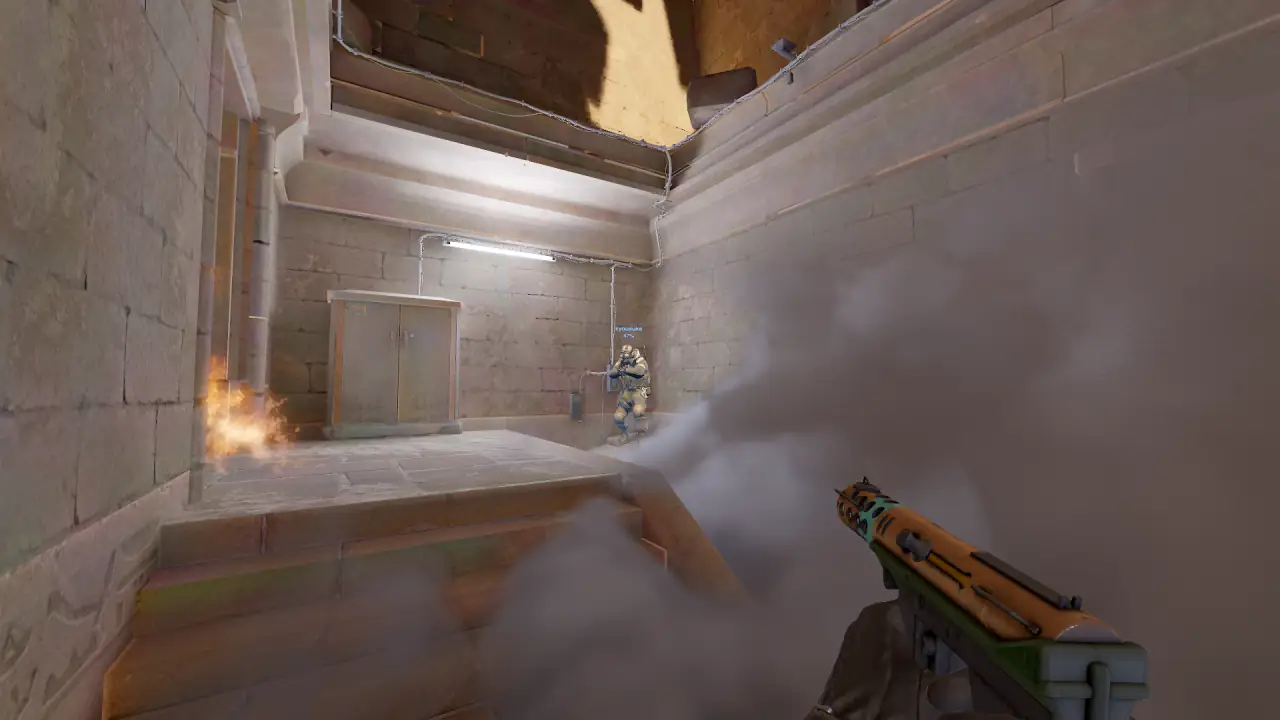
Best CS2 demo viewer in 2026: free, online, 2D and 3D
There is no single best CS2 demo viewer, because the tools answer different questions. Pick by the job:
- Exact playback: CS2 itself, with
playdemo. - A fast, free 2D look at a round: Scope.gg or CS2Replays.
- Team preparation: cs2.cam, RoundIQ or Noesis.
- Progress across many matches: a stats site such as Leetify.
- 3D in the browser, then play the moment yourself: Memorin. 2D is free, 3D is PRO, and a Replay Moment hands you the situation to play.
CS2 demo viewers compared
Every row below is what the product says about itself on its own site, checked on 27 September 2026. Nothing comes from a listicle or from memory.
| Viewer | Runs in | Replay view | Price, in its own words |
|---|---|---|---|
CS2 playdemo | The installed game | The game engine | Comes with CS2 |
| Scope.gg | Browser | 2D | "for free in a couple of clicks" |
| cs2.cam | Browser | 2D, 3D Replay | Free tier with the 2D viewer; paid plans |
| RoundIQ | Browser | 2D, 3D, POV | "free to start" |
| Noesis | Browser | 2D | 14-day free trial |
| CS2Replays | Browser | 2D, 3D in beta | "completely free", no account |
| GetReplay | Browser | 2D bird's eye view | "Sign Up for Free" |
| Memorin | Browser | 2D radar free; 3D with PRO | Free account in 2D; PRO for 3D and more |
Read it as a routing guide, not a scoreboard. A 2D radar is faster to read than a 3D scene for a five-player rotation. That is a real strength, not a consolation.
Where does Memorin fit?
Memorin is a 3D browser demo viewer for ten maps: Ancient, Anubis, Cache, Dust II, Inferno, Mirage, Nuke, Overpass, Train and Vertigo. The 3D view (PRO) adds POV, follow and free cameras, x-ray and real smoke volumes. The 2D radar, the timeline and the match review panel are free. Demos arrive by upload, match sharing code, Leetify match link or direct URL, and from a FACEIT matchroom through the Watch in 3D extension. The pro match library opens signed out.
3D is no longer what sets it apart. What no other tool here claims is Replay Moments: a situation from the demo handed back to you to play, graded S to D and shareable as a challenge.
Where Memorin loses:
- No rating or trend across many matches. Leetify and csstats.gg do that.
- No playbook, veto analysis or voice comms sync. cs2.cam has those.
- No strat board or lineup book with replays. RoundIQ has those.
- Playback is rebuilt at whole-tick precision, so sub-tick order is lost.
playdemostays the reference. - No video export. CS Demo Manager says it can generate videos from demos.
- Ten maps only. A demo on another map cannot be shown.
- CS2Replays says its viewer is completely free. Memorin puts unlimited demos and 30-day storage behind PRO.
Watch a real round, take over and play it. Today's moment is free in 3D, with no account.
Play daily
How do I open a demo in CS2 itself?
Put the .dem file in your csgo folder, open the developer console and run playdemo followed by the file name. Then steer playback with the demoui panel or with commands such as demo_gototick.
This is the exact reference: the same engine that recorded the match. It costs an install, a game launch and a file you have to find first. The CS2 demo commands page lists every command.
Which online CS2 demo viewers are there?
Scope.gg
Offers to "Watch CS2 demos for free in a couple of clicks" and says: "Watch the demo in 2D on any device". "Demos upload automatically right after the match ends", so nothing sits on your drive.
cs2.cam
"Analyze Counter-Strike 2 like a pro." Its named features include a 2D Viewer, 3D Replay, Playbook, Strategic Board, Timing Heatmap, Veto Analysis, Voice Comms Sync and Record Round/POV. Plans are Individual Basic, Individual and Professional, or "stay on free — full HLTV demo access, 2D viewer, paint tools".
RoundIQ
Titles itself "Free CS2 Demo Viewer & Analysis — 2D & 3D". Its player section reads "Every angle of the CS2 demo. 2D, 3D, and POV." It has a Strat Builder, a Stuff Book ("Every CS2 lineup, with the replay attached") and pro matches. "RoundIQ is free to start — no credit card required."
Noesis (noesis.gg)
"State of the art online CS2 demo viewer", which lets you "upload, review, and analyze CS2 demos" in a 2D replay. Access starts with a "14-day Free Trial", "No credit card needed". This is noesis.gg, not the model viewer with the same name.
CS2Replays
"Counter-Strike 2 — Free Demo Viewer", with a 2D overhead map, a "3D Replay Viewer" marked BETA, a Pro Match Library and Steam and FACEIT match sync. "Free to watch — no account required." Demo files "are parsed in-browser".
GetReplay
"CS2 Demo Viewer in Your Browser", built around a "Real-Time Bird's Eye View". You "Connect your Steam account" for automatic analysis after each match.
Also in the results
CS Demo Manager calls itself a "Companion application for your Counter-Strike demos" that can "Generate videos from demos". SCL's page is titled "Practice, Servers & 2D Replay". Leetify and csstats.gg are stats platforms: they track performance across many matches, which one replay cannot. cs2lens, Stratbase and Refrag served no fetchable description on 27 September 2026, so this page makes no claim about them.
Which CS2 demo viewer is free?
Several have a free way in. Scope.gg says it is free, CS2Replays says its viewer is completely free with no account, RoundIQ is free to start, and cs2.cam has a free tier with its 2D viewer. Noesis starts with a 14-day free trial. Memorin has a free account. Pro matches open in 2D with no account at all, and the daily moment plays with no account.
Is there a 3D CS2 demo viewer online?
Yes, several. cs2.cam lists 3D Replay, RoundIQ shows 2D, 3D and POV, and CS2Replays has a 3D viewer in beta. Memorin rebuilds the real map geometry in 3D (PRO), so a camera can sit at a player's eye height. Prefer 2D? Memorin's 2D radar view is free, loads no map and opens fast on a phone.
FAQ
What is the best CS2 demo viewer?
It depends on the question. CS2 itself with playdemo is the exact reference. Scope.gg and CS2Replays give a fast free 2D look. cs2.cam, RoundIQ and Noesis aim at team preparation. Memorin shows the match in 2D for free, or in 3D with PRO, and lets you play a moment yourself.
Which CS2 demo viewer is free?
Scope.gg says it is free, CS2Replays says its viewer is completely free with no account, RoundIQ is free to start, and cs2.cam has a free tier with its 2D viewer. Noesis starts with a 14-day free trial. Memorin has a free account.
Is there a 3D CS2 demo viewer online?
Yes, several. cs2.cam lists 3D Replay, RoundIQ shows 2D, 3D and POV, and CS2Replays has a 3D viewer in beta. Memorin rebuilds the real map geometry in 3D (PRO), so a camera can sit at a player's eye height.
Can I watch a CS2 demo online without downloading anything?
Yes. Every online viewer on this page plays a demo in a browser tab, so there is nothing to install. With Memorin you can paste a match sharing code or a Leetify link and the file never reaches your disk.
How do I open a demo in CS2 itself?
Put the .dem file in your csgo folder, open the developer console and run playdemo followed by the file name. Then steer playback with the demoui panel or with commands such as demo_gototick.
Is there a 2D CS2 demo viewer?
Yes. Scope.gg, Noesis, GetReplay and SCL describe 2D replays, and cs2.cam, RoundIQ and CS2Replays offer 2D beside 3D. Memorin has a free 2D radar view that loads no map.
Every competitor claim is quoted from that product's own website, checked on 27 September 2026: scope.gg/replay, cs2.cam, roundiq.gg, noesis.gg, cs2replays.com, getreplay.gg, cs-demo-manager.com and scl.gg/demos.